
An academic editing service designed around you
Our academic editing and proofreading services offer more than just polished writing. Our focus is on connecting you with the right editor for your needs, providing contextualised and actionable feedback.
- Your work will be reviewed by a PhD-qualified native English editor with expertise in your subject area
- You can upgrade to a one-to-one Zoom consultation call with your editor to review and clarify all suggested changes

We don’t take our job lightly. Would you entrust your medical research paper with an editor specialised in Law? Of course not. That’s why, since 2007, we’ve built a network of highly qualified academics across a wide range of disciplines, so you’ll always be paired with an editor in your field.
Price your project now How it works

Tell us your requirements
Our service is entirely bespoke, so we like to understand your goals and what you hope to achieve from using our academic proofreading and editing service.
We find you an editor
Based on your precise requirements, we will match you with an expert editor or professional proofreader and set them to work on editing your assignment.
We deliver
You'll receive a professionally reviewed and edited document within the time frame specified, as well as ongoing support from our team of academic consultants.
Connect with some of the UK's most qualified academic editors

Choose the level of academic editing you require
Most Popular
Proofreading
from per 1,000 words
Price your project now £
18
A thorough editing service removing all errors and correcting superficial inconsistencies.
Treatment Features
- Spelling
- Punctuation
- Grammar
- Layout, font, number style, etc.
- Consistency in terminology, italicisation, etc.
- Track Changes
Stylistic Edit
from per 1,000 words
Price your project now £
33
A more comprehensive edit, particularly ideal if English is not your first language.
You'll get everything in Proofreading
- Plus the following:
- Sentence construction
- Terminology/reference checks
- Logic, relevance & clarity
- Structure & style
- Improvements to formality of language
- Clarification of arguments in writing
Academic Edit
from per 1,000 words
Get a free quote £
90
An extensive editing service to elevate your work to its full potential.
You'll get everything in Stylistic Edit
- Plus the following:
- Improvements to referencing
- Remove plagiarism
- Add charts and diagrams
- New words
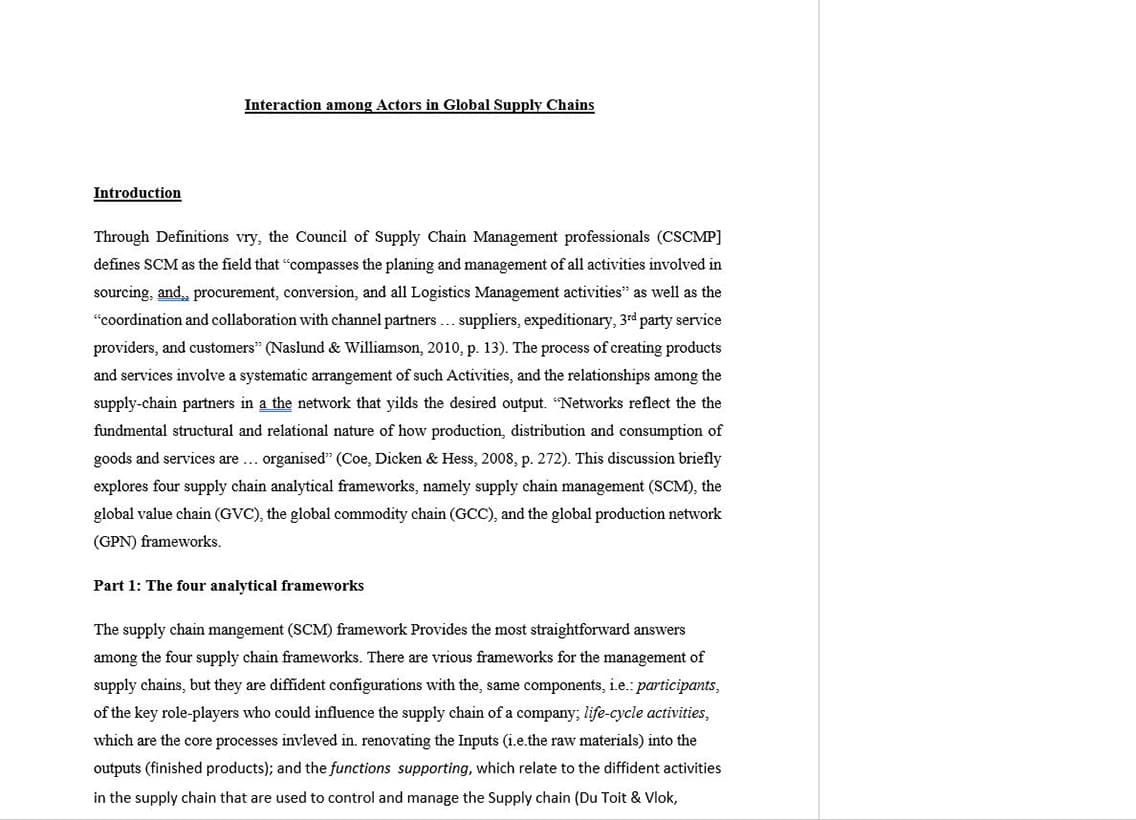
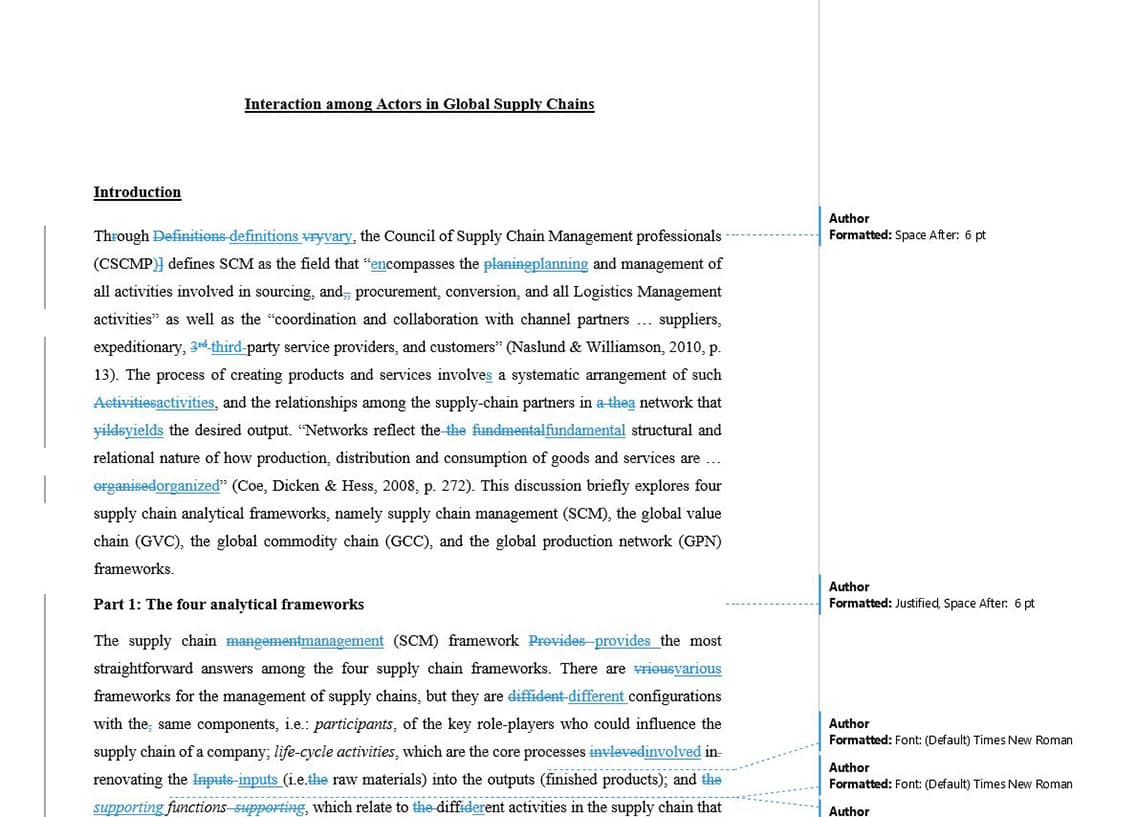
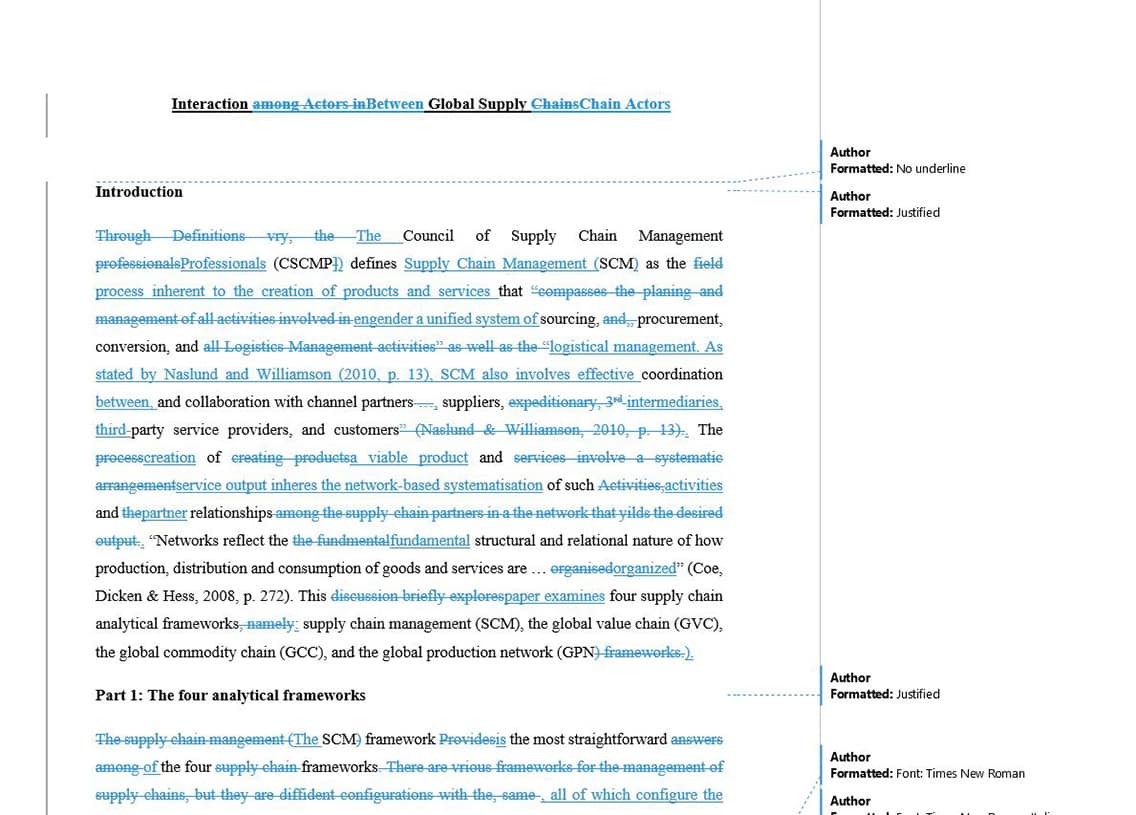
Examples of how we edit your work


“Your editors are the best! They always give me so much confidence with my submissions.”
Lin
Psychology Undergraduate Student, London
“Your editors are the best! They always give me so much confidence with my submissions.”
Lin
Psychology Undergraduate Student, London
Frequently Asked Questions About Our Academic Editing Services
How much will you charge to edit my assignment?
The price you pay depends on the level of editing treatment you require, as well as the type of document, its length and complexity, and how quickly you need us to turn it around. For an instant quote fill out our form.
How can I pay for my academic editing order?
You can securely pay online using any major debit or credit card, Amex, Apple Pay, or a bank transfer (national or international). If you’d like to spread the cost, we offer interest-free instalments through Klarna or PayPal, as well as bespoke instalment plans arranged directly with us. We also accept major cryptocurrencies, including Bitcoin and Ethereum.
My subject is very specialised. Can you edit my assignment?
We are able to process approximately 98% of all orders that are placed with us. If you cannot find your subject on our order form, please contact us and once we know full details, we'll determine if we can take your order forward.
How long does proofreading/editing take?
We generally like to let our clients dictate a required deadline when placing an order. However, if you are not sure what is best, we advise allowing one day per 5,000 words that you would like to have proofread, and one day per 4,000 words that you would like to have stylistically edited.
Can I speak to my academic editor?
Of course. This is one of the upgrades we offer as part of our academic editing and proofreading service to foster effective collaboration between you and your editor. Please add this upgrade when placing your order if you wish to include this additional service. The call will last up to 30 minutes and you will have ample time to discuss the whole project with your editor.
Are your editors using low-quality AI tools to edit my work?
Absolutely not. Every project is handled by experienced professional editors from the top UK universities with specialised knowledge in their field. No AI tool will ever be able to match the depth of understanding, critical thinking, and subject-specific insight that human experts bring to your work.
Let's discuss your next academic editing project
It doesn’t matter if you’re a first-year undergraduate or are about to finish your PhD, our editors are here clarify your arguments and polish all types of assignments, from essays to research papers and dissertations or theses. Get in touch today—our dedicated consultants are on hand and ready to answer all your queries.
Get in touch